Apple Podcasts
将你的私有 Bri Podcast feed 添加到 Apple Podcasts。
将你的私有 Bri Podcast feed 作为手动 RSS 订阅添加到 Apple Podcasts。
步骤
-
复制 Bri 提供的 Podcast URL。
-
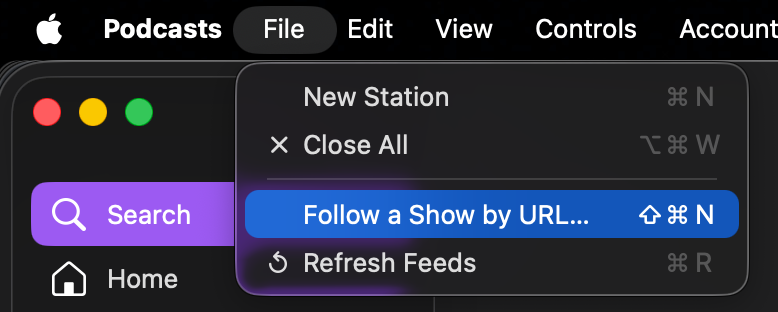
在 Apple Podcasts 中选择 File -> Follow a Show by URL。
-
填入 Podcast URL 即可完成订阅。
发布给外部订阅
-
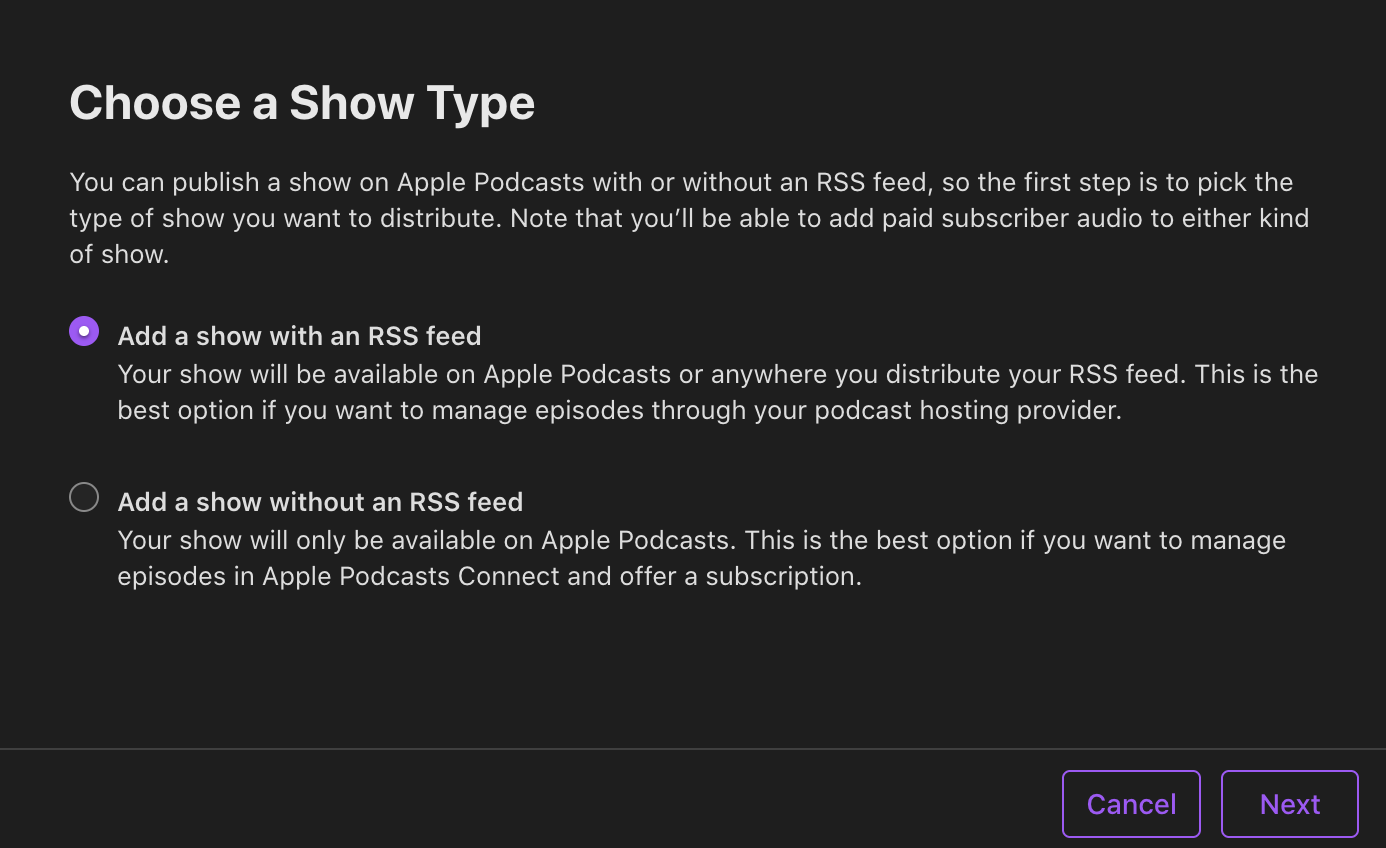
选择 New Show -> Add a show with an RSS feed。
-
填上 Bri 提供的 Podcast URL。