Spotify
Submit your private Bri Podcast link in Spotify for Creators and verify ownership by email.
Spotify cannot follow a private RSS feed manually like a regular podcast client. Submit your private Bri Podcast link as an existing show in Spotify for Creators, then verify ownership through the email address in the RSS feed.
Steps
-
Sign in to Bri and copy your private Podcast link from Subscribe podcast. Do not share this link publicly.
-
Sign in to Spotify for Creators. If your account already has another show, open your avatar or the three-line menu and select
Add a new show. Then selectFind an existing showandSomewhere else.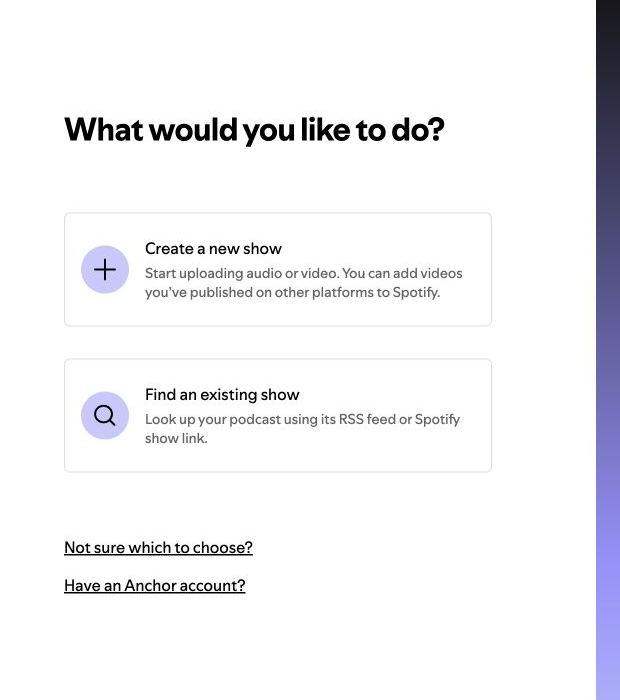
-
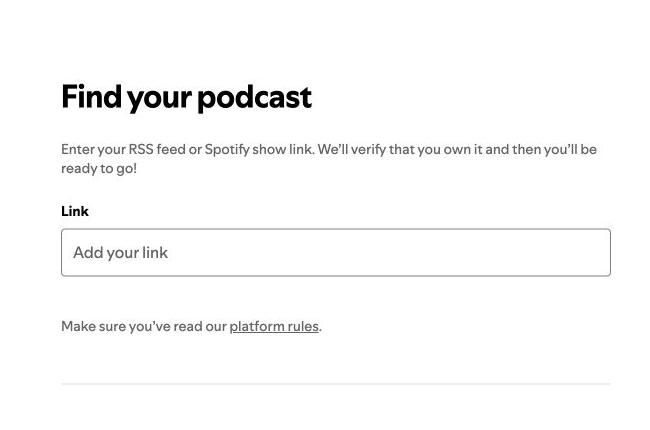
Paste your private Bri Podcast link, confirm that Spotify found the correct show, and continue.
-
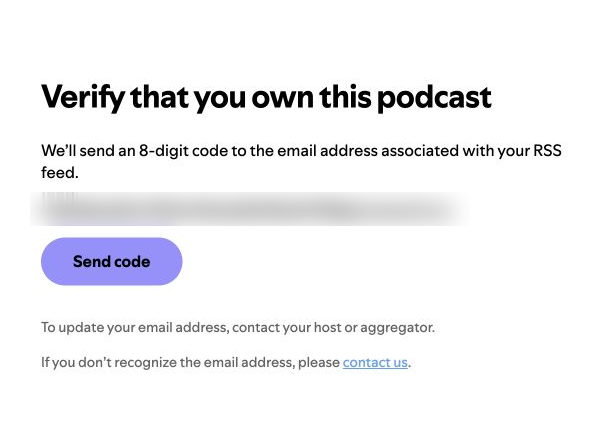
Ask Spotify to send a verification code to the email address in the RSS feed. To protect your privacy, Bri publishes a private contact alias in the feed and forwards the message to your Bri account email.
-
Find the eight-digit Spotify for Creators code in your Bri account email, return to the dashboard, and submit it. If the message does not arrive, wait a few minutes and check your spam folder.
-
Complete the remaining show details and submit.
Spotify then continues to fetch new episodes from this RSS feed. This is creator claiming and distribution, not a private subscription visible only to you. Keep your private Bri Podcast link secret.