Apple Podcasts
Füge deinen privaten Bri Podcast Feed zu Apple Podcasts hinzu.
Füge deinen privaten Bri Podcast Feed als manuelles RSS-Abonnement zu Apple Podcasts hinzu.
Schritte
-
Kopiere die Podcast URL, die Bri bereitstellt.
-
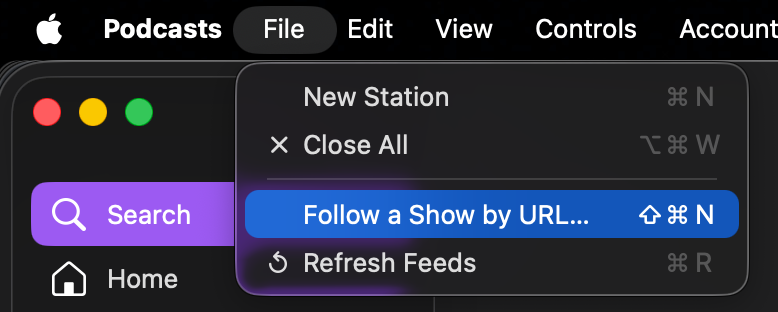
Wähle in Apple Podcasts File -> Follow a Show by URL.
-
Füge die Podcast URL ein, um das Abonnement abzuschließen.
Für externe Abonnenten veröffentlichen
-
Öffne Apple Podcasts Connect.
-
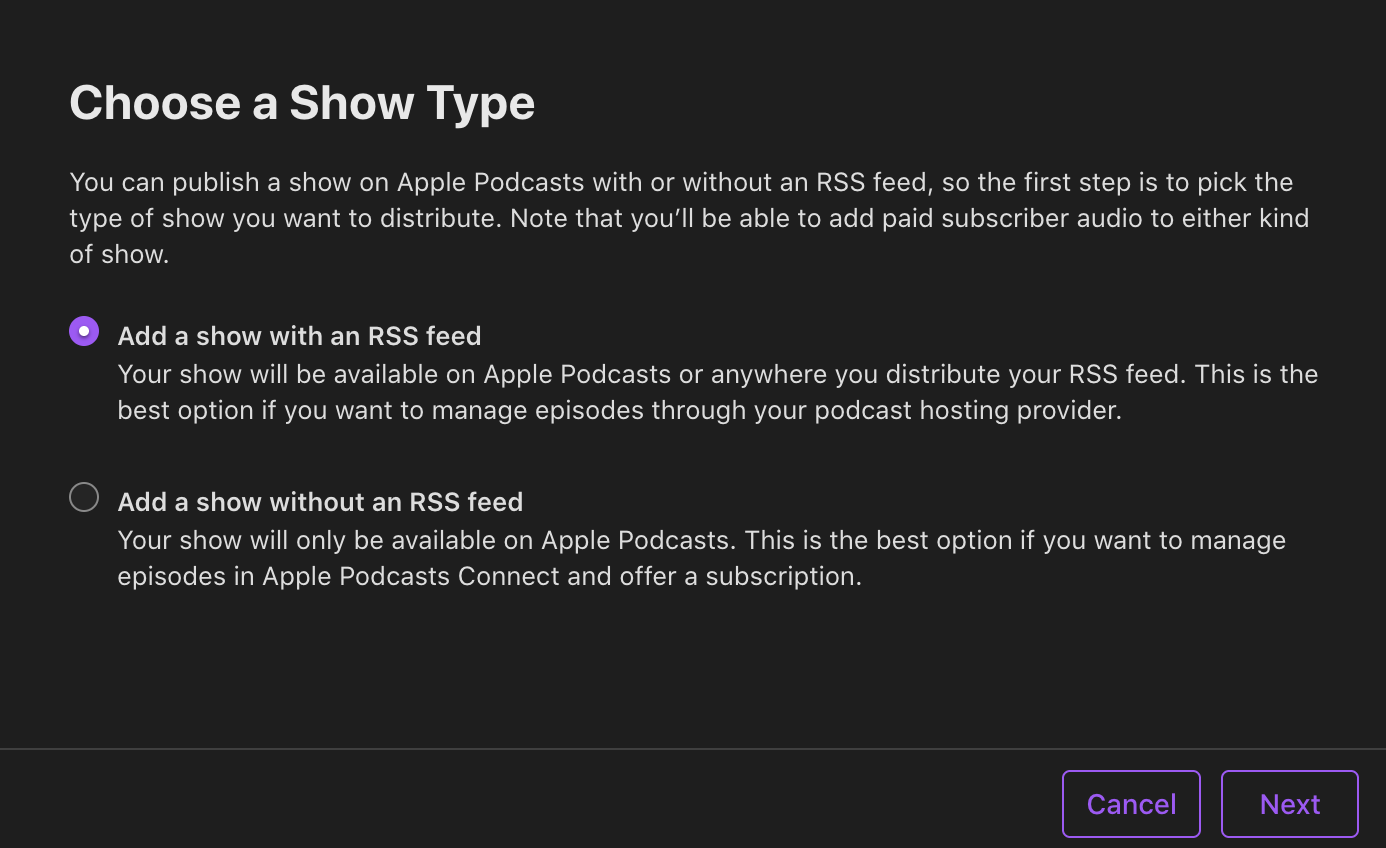
Wähle New Show -> Add a show with an RSS feed.
-
Füge die Podcast URL ein, die Bri bereitstellt.