0913 | Small Tools, Big Desktop Upgrades
Show notes
A quick tour of new apps and tools: desktop polish and fun, privacy-first utilities, AI features that run locally, and developer and creator tooling — with prices, platforms, and what each is good for.
Timeline
- 00:00:04 Opening
- 00:00:44 Paid desktop polish: peripherals and Dock
- 00:04:07 Desktop personality: pets and reactive wallpaper
- 00:06:14 Dashboards and alarms for macOS
- 00:09:01 Free cross-platform utilities
- 00:11:23 Clipboard sync with end-to-end encryption
- 00:13:00 On-device AI: tasks and notifications
- 00:16:04 AI inside pro tools: Photoshop, testing, sales
- 00:19:50 Developer and publishing infrastructure
- 00:23:35 Fun break: browser territory game
- 00:24:37 Closing
Related links
- LinkFlick
- DockFix 5.0
- Captain Kill Switch
- SUDARI
- VoxelWall
- Wokyintosh
- Calerto for Mac
- FrameSketch
- Relic
- Pascal’s Pager
- Work Life Panda
- ABrush
- QApilot MCP for Android
- Youkti
- Cortex
- Stackness
- Marked Share
- Kabza
This episode is produced by Bri. Bri uses advanced AI technology to turn the feeds you care about into podcasts made for listening. Contact us at hi@bri.so.
Transcript
Mia: Welcome back to the show, everyone. I'm Mia.
Milo: And I'm Milo. Today we've got a big pile of launches to walk through, and honestly, the thread connecting them is that people are building small, sharp tools for problems you already have, whether that's quitting apps, syncing a clipboard, or getting a meeting alarm to actually break through Do Not Disturb.
Mia: Right, and instead of racing through everything, we're going to sit with each one long enough to figure out who it's actually for, what it claims to change, and what's still unclear. A few of these cost money up front, some are free and open source, and a couple push AI in interesting directions.
Milo: Let's start with the paid desktop stuff, because there's a theme there too: one-time purchases that polish the core of your desktop experience. First up, a tool that switches a Magic Keyboard and Magic Mouse between Macs instantly over Bluetooth.
Mia: So the pitch here is pretty simple. If you've got two Macs on your desk, you know the pain of either manually re-pairing or using some janky workaround to move your keyboard and mouse between them. This app claims to make that switch instant, and notably, it doesn't need your Apple ID. It works at the Bluetooth level.
Milo: That's worth pausing on. The Apple ID thing matters because some people just don't want to hand that over, and Apple's own solution for this only exists within their ecosystem anyway. Fourteen ninety-nine, one-time purchase. So it's not a subscription, which for a utility like this feels like the right model. You buy it once, it does one job.
Mia: And the limitations to think about? Well, it's Mac-to-Mac only, as far as we know from what's described. If you were hoping to jump to a Windows machine or a Linux box, that's not the story here. And whether "instant" really means instant with no lag or hiccups, that's a claim we'd want to see tested. Pairing behavior over Bluetooth can be finicky depending on the Macs involved.
Milo: Who's it for, though? Clearly the person running two Macs side by side, a work laptop and a personal machine, say. For them, fourteen ninety-nine once is a very reasonable price to never fumble with Bluetooth settings again.
Mia: Now, staying in the paid desktop polish lane, there's a Dock replacement for macOS. And this one is ambitious: it's not a tweak to the existing Dock, it's a full replacement, with widgets and window previews.
Milo: Full replacement is the phrase that gets my attention. There's a long history of people customizing the macOS Dock with hacks and utilities, but actually replacing it entirely is a bolder move. It costs fourteen ninety-nine in euros, so similar one-time pricing to the keyboard switcher.
Mia: The widgets and window previews are the concrete capabilities. Widgets presumably let you put live information down in your dock area, and window previews mean when you hover over an app you can see what's actually open, which is something people have wanted from the real Dock for ages.
Milo: But here's the honest trade-off. Replacing the Dock means living with someone else's implementation of something Apple owns. Updates to macOS could break it. The maker's description is a claim about what it can do, not proof that it's stable across every macOS version. If you're the kind of person who enjoys deep customization and accepts some risk, it's fourteen ninety-nine. If you just want your Mac to work, maybe not.
Mia: And it's worth noting the contrast we'll keep coming back to today: these are paid, one-time tools polishing your workflow, and later we'll look at free and open-source tools doing related things. Same desktop, different price tags.
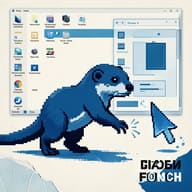
Milo: Speaking of which, personality on your desktop. And the first one here is free and open source: a pixel otter that walks across your desktop.
Mia: I love that this exists. So this is a desktop pet, a pixel-art water otter, that literally walks along your screen. It follows your cursor and reacts when you type. So it's not just a static sprite sitting in a corner, it's responding to what you're doing.
Milo: Open source and free, so if it annoys you, you can turn it off, or if you're technically inclined, you could presumably look at the code. The obvious criticism is: does this help you do anything? No. It's pure personality. But desktop pets are a genre, and people who want one really want one.
Mia: The reactive elements are the differentiator versus, say, a static widget or wallpaper. Cursor following and typing reaction mean it feels a bit alive on your desk. It's the low-stakes end of today's list, and it costs nothing.
Milo: The paid counterpart to that is a Mac live wallpaper that reacts to the music you're playing. This one's twenty-four ninety-eight, one-time purchase, and the interesting technical detail is that it does the audio analysis locally and renders with Metal.
Mia: Local audio analysis matters for two reasons. One, privacy: your music isn't being shipped off anywhere to be analyzed. Two, latency: if the wallpaper is reacting to the beat, that reaction has to be fast or it looks broken. Doing the analysis on-device and rendering through Metal, Apple's graphics framework, is how you'd get smooth, real-time visuals.
Milo: So between these two you've got a nice little contrast: the otter is free and open source, the reactive wallpaper is paid and closed. Both are about making your desktop feel like yours rather than a productivity surface. Neither claims to make you faster or better. It's just personality.
Mia: And there's a third piece of desktop personality that's free too, but this one is less about whimsy and more about information: an open-source dashboard for macOS styled like a classic Mac.
Milo: Classic Mac styling, so think old-school interface aesthetic, but what it shows is modern: the clock, the weather, the currently playing track, and system stats. Open source, free. So it's decorative on the outside and functional underneath.
Mia: What I like about this one in context is that it fits the same local-first instinct we saw in the wallpaper. Everything it displays is stuff your machine already knows: time, weather it can fetch, what's playing, CPU and memory numbers. No account, no cloud dashboard. It just puts that info on your screen in a nostalgic wrapper.
Milo: Limitations? It's a dashboard, not an automation tool. It shows you information; it doesn't act on it. And whether the classic styling is charming or cluttered is entirely a matter of taste.
Mia: From dashboards to alarms, because there's a related macOS app here that solves a problem I think every remote worker has had: missing a meeting because the notification didn't cut through.
Milo: This app turns your calendar into a full-screen meeting alarm. So instead of a small banner in the corner that you swat away or miss, your whole screen is taken over when a meeting is about to start. And critically, it shows even when Focus mode is on.
Mia: That Focus detail is the whole story, honestly. Focus modes are great until they silence the one alert you needed. If your calendar becomes a full-screen alarm that pierces Focus, you're not going to sleep through your stand-up. And the other key claim is that data stays on the device.
Milo: On-device for a calendar-reading app is a meaningful privacy claim. Your calendar knows your whole life schedule. If the app processes that locally, you're not trusting a server with it. But again, that's a maker claim; you'd want to know exactly what, if anything, leaves the machine.
Mia: So between the classic-Mac dashboard and this meeting alarm, the common idea is putting key information front and center, locally. The dashboard says "here's the time, weather, and your system stats, always visible." The alarm says "here's your next meeting, unmissable when it matters."
Milo: And connecting both to what we said earlier: these are free or at least local-first ways to make macOS serve you better, whereas the Dock replacement was a paid way to reshape the same desktop. Different price points, same instinct.
Mia: Let's shift to free cross-platform utilities now, because there are two here that are small, sharp, and completely free. First: a menu-bar tool that quits all your apps at once.
Milo: This sounds almost too simple, but think about how many times a day you want everything closed, at the end of the workday, before a demo, before shutting the lid. On macOS especially, clicking the red button doesn't quit apps; they linger. This tool lives in the menu bar and quits all of them in one go.
Mia: And the reach is broader than most Mac utilities: it's cross-platform, macOS, Windows, and Linux, and there's a CLI. So if you're the type who scripts your end-of-day shutdown, the command-line interface means you could fold it into a script. One tool, three operating systems, one job.
Milo: What's the limitation? It's deliberately narrow. It quits apps; it doesn't manage them, doesn't save sessions, doesn't pick and choose, as far as described. If you want granular control, that's not the pitch.
Mia: The second free utility is more visual: a tool that lets you scrub through video frame by frame and hand-draw annotations at sixty frames per second.
Milo: So picture a coach reviewing an athlete's movement, an animator checking a motion, or someone making a tutorial who wants to circle and mark exactly what happens on a specific frame. You scrub to the frame, you draw on it, and the drawing experience is smooth at 60fps.
Mia: And again, fully local processing. Nothing about your video goes to a server. Combined with free, that's a nice package for anyone doing frame-accurate review work. The obvious question is how it handles different codecs and long files, but as a described capability, frame-scrubbing plus hand-drawn annotation is a genuinely specific tool for a genuine job.
Milo: These two together represent the "small free tool with a clear single purpose" school of software. Compare that to the Dock replacement earlier, which tries to replace a whole part of the OS. There's room for both approaches, but the free ones are easier to try with zero commitment.
Mia: Next subject flows naturally from "local-first free tools": syncing something across your devices, but with privacy as the headline. Clipboard history that syncs end-to-end encrypted, with semantic search.
Milo: Clipboard managers are a well-worn category, so the question is always: what's different here? Two things. One, the sync across devices is end-to-end encrypted, so the contents of your clipboard, which can include passwords, addresses, things you pasted once and forgot, are not readable by the service in the middle.
Mia: And two, semantic search. That's the interesting one. Instead of searching your clipboard history by exact text, semantic search means you can look for things by meaning. "That address I copied last week" might actually turn it up. Whether it works well in practice is the open question, semantic search over small snippets like clipboard entries is a nontrivial problem.
Milo: It's open source, which matters here more than usual. For a tool whose core promise is encryption, being open source lets people verify rather than trust the claim. That's the strongest form of evidence you can ask for in this category.
Mia: Who's it for? Anyone who works across multiple devices and treats their clipboard as part of their working memory. The limitation is that E2E-encrypted sync usually means some setup friction, pairing devices, managing keys, whatever the flow is, and that's not spelled out in what we have.
Milo: Now, from privacy-first sync we move to AI, and specifically on-device AI, which is where a lot of the interesting tension in this whole space lives. First, a task and calendar app with AI that runs entirely inside the device.
Mia: The structure of it is notable: tasks and calendar integrated, AI processing done on-device, and each task gets its own individual chat. So instead of one big chatbot for your whole life, you open a conversation inside a specific task and talk through that task.
Milo: That per-task chat is a genuinely different interaction model. It suggests the AI's context is the task itself, which could make responses more relevant and less generic. It's free right now in early access, which tells you it's not finished, and early access means features and behavior may change.
Mia: The honest open question with any on-device AI is capability versus cloud AI. Running locally means privacy and speed, but models on your device are typically smaller. Whether the on-device intelligence here is good enough to actually help with planning tasks, that's something the early access period will reveal, and it's a claim, not a proven result.
Milo: The second one in this AI group is a different shape entirely: it takes webhook JSON and turns it into iPhone notifications using AI. Sensitive data gets masked, it requires iOS 26, and it costs seven ninety-nine pounds a month.
Mia: Let's unpack that. Developers have tons of systems that fire webhooks, alerts, builds, orders, monitoring. Those JSON payloads are not human-friendly. This service takes that JSON, has AI turn it into a readable notification, and pushes it to your iPhone. The masking of sensitive data is a nod to the fact that webhook payloads often contain things you'd rather not expose.
Milo: Two things stand out. One, the iOS 26 requirement, that's a recent OS version, so your device needs to be up to date. Two, it's a monthly subscription, seven ninety-nine pounds per month, in a segment where, as we just saw, source-008's style of tool does its AI locally and is free in early access. So there's a real contrast: local processing versus a cloud AI service you pay for monthly.
Mia: And the masking claim deserves scrutiny. "AI masks sensitive data" is a claim about what the system does automatically, and how reliably it catches everything is exactly the kind of thing you'd want to test with your own payloads before trusting it. If a webhook contains credentials and the masking misses them, that's a real problem. So: promising idea, but the privacy story is weaker than the on-device tools we just discussed, and you're paying monthly for it.
Milo: Which brings us to AI moving into professional tools more broadly. Three different angles here: creative work, testing, and sales. Let's start with Photoshop. There's a plugin that puts more than twenty-three AI models inside Photoshop.
Mia: The number matters. Not one AI feature, twenty-three-plus models you can operate from within Photoshop. And it includes team workflow sharing, so a team can share how they're using these models across their work.
Milo: Think about why that's significant. Right now, using different AI models usually means bouncing between websites and services, generating an image, downloading it, importing it into Photoshop. A plugin that surfaces many models inside the app keeps the artist in one place. That's the change versus existing options.
Mia: Limitations and questions: which models exactly, what they cost to run, and how reliable the plugin is, none of that is spelled out. "Twenty-three models" is the maker's claim about breadth. And team sharing suggests this is aimed at studios and teams, not just solo hobbyists, which fits the pro-tool framing.
Milo: Next angle: testing. This one's an MCP, a Model Context Protocol server, that runs Android end-to-end tests from plain-English instructions, executed locally. And iOS support is planned, not shipped.
Mia: So the pitch is: instead of writing and maintaining brittle end-to-end test scripts, you describe the test in English, and the MCP drives the app to do it. And it runs locally, so your app and your test flows aren't being sent to some cloud service. For QA teams, that local detail matters a lot, since apps under test often contain real data.
Milo: iOS support being future plans is an important limitation to state clearly. Today it's Android only. And how reliable plain-English-driven testing is over time, whether it handles app changes gracefully, is the fundamental open question for all this natural-language testing tooling. It's a claim about capability, not a verified track record.
Mia: Third angle: sales. There's an AI tool that suggests your next action in a sales context, and the pricing structure is interesting: the contact data and the intent signals are free, and you pay for the layer that acts on them.
Milo: Right, so the free part is the information, who the contacts are and what their intent is, and the paid tiers are aimed at active users, the people actually working deals day to day. That's a freemium split where the data is the hook and the workflow is the product.
Mia: The natural skepticism with sales AI is always: how good is the intent data, really? Intent signals are the maker's claim about knowing what a prospect is thinking. If they're accurate, next-action suggestions are valuable. If they're noise, the tool is noise. That's the open question, and we have no independent evidence here either way.
Milo: So across Photoshop, testing, and sales, the pattern is AI embedding itself into the tools people already use for work, rather than being a separate chat app. In Photoshop it's inside the canvas. In testing it's inside the QA workflow. In sales it's inside the CRM-ish workflow. And in each case, the strongest claims are the maker's descriptions, not results anyone has verified.
Mia: From there it's a natural step to the infrastructure underneath all this developer tooling. First: a project that takes API specifications, like OpenAPI, and generates documentation, SDKs in eleven languages, and MCP servers. MIT-licensed open source.
Milo: The eleven-language SDK generation is the concrete standout. If you maintain an API, keeping SDKs current across eleven languages by hand is a huge burden. Generating them from the spec means the spec is the single source of truth, and everything else stays in sync.
Mia: And notice the MCP server generation, because that ties directly back to the testing MCP we just discussed. MCP is becoming a standard way for AI agents to talk to tools and services. So this project lets you turn your API into something AI agents can use, automatically, from the spec you already have. That's the connective tissue of the ecosystem we're describing.
Milo: MIT license means anyone can use it, including commercially, with essentially no restrictions. And because it's spec-driven, the limitation is the usual one: garbage spec in, garbage output. The tool can't document things your spec doesn't say.
Mia: Next, a very different flavor of developer infrastructure: a social network for sharing developer tool stacks. Free, you get a one-link profile, and there's an MCP server attached.
Milo: The idea is that developers love comparing notes on what tools they use, editors, terminals, utilities, all of it. This gives each person a single link that represents their stack. It's a social network built around the "what do you use" conversation.
Mia: The MCP server is the part that echoes today's theme. It means your tool stack profile isn't just a human-readable page; potentially, AI agents could consume it too. Whether that's genuinely useful or just a novelty, time will tell. It's free, so the business model is an open question in itself.
Milo: And the third piece: a free service for sharing, reviewing, and publishing posts written in Markdown or TextBundle, with a full API.
Mia: So think of it as lightweight publishing infrastructure. Write in Markdown, which most developers already do, share drafts for review, and publish when ready. TextBundle support means you can carry images along with your text in a portable format. And the full API means you can automate it, publish from scripts or pipelines rather than clicking through a web UI.
Milo: Put these three together and you see a picture: specs that generate SDKs and MCP servers, a social layer where developers share their stacks, and open publishing with an API. It's an open, spec-driven ecosystem where interoperability is the point, not lock-in. That's a coherent story, and it contrasts nicely with the subscription cloud AI stuff earlier, which is much more closed by nature.
Mia: And it's also a good reminder that even free things have models behind them. Free social network, free publishing service, free generator, all open source or free with APIs. The open question is always sustainability, but for a user right now, the barrier to trying any of them is essentially zero.
Milo: Which is a perfect on-ramp to our last item, because it's free and it requires nothing from you at all. Time for a fun break: a browser game about fighting over territory on maps of real cities.
Mia: Up to eight players, territory battle, and the maps are actual cities. Free, and no sign-up required, which is the detail I appreciate most. You don't create an account, you don't give an email, you just show up and play.
Milo: After all this talk of APIs, MCP servers, and pricing tiers, there's something refreshing about "open a browser tab, fight your friends over a map of a city, done." That's the whole pitch. The real-city maps are the differentiator versus abstract territory games.
Mia: Limitations? It's a browser game, so don't expect depth of a dedicated strategy title, and with up to eight players you'll need that many people to get the full experience. But as a light finish to a heavy conversation, it's exactly right.
Milo: So let's take stock of the day, briefly. We saw paid one-time tools polishing the desktop, a keyboard switcher and a Dock replacement. Free and open-source personality, an otter, a classic-Mac dashboard, a reactive wallpaper on the paid side.
Mia: Free cross-platform utilities with single clear purposes, clipboard sync done with end-to-end encryption, AI that runs on your device versus AI you pay for monthly, and AI creeping into Photoshop, testing, and sales.
Milo: Then the open spec-driven developer ecosystem, and a browser game to close it out.
Mia: The honest through-line: almost every one of these is a claim from its maker about what the tool can do. Some back it with open source you can verify, some with free tiers you can test yourself, and some you'd have to take on faith or try with your own data. That's the lens we'd encourage.
Milo: Thanks for spending twenty minutes with us. We'll see you next time.
Mia: Bye, everyone.